Download Screenshot free on android
APK file Easy Screenshot 3.1.28How to install APK / APKS / OBB file on Android
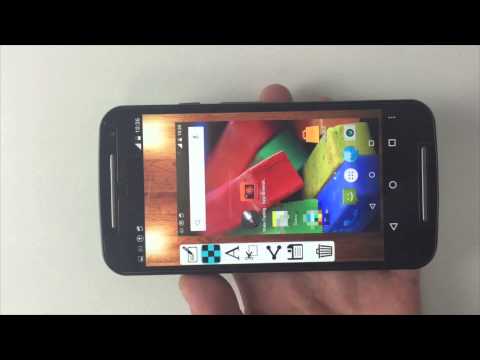

Easy Screenshot gives you the easiest way to capture your screen into images, it is the best snapshot tool.
1. You can take a screenshot by touching the shot icon or pressing power button and volume down button at the same time, or pressing power button and home button at the same time(on most Samsung phones).
2. You can specify the folders which the screenshots will be saved as images.
3. You can preview the screenshot and decide saving it or discarding it.
4. Croping any part of the screenshot.
5. Drawing on the screenshot.
6. Making mosaics on the screenshot.
7. Inputting custom text on the screenshot.
8. Sharing the screenshot after it’s taken.
Foreground Service & Screen Capture Notice
This app uses a foreground service with MediaProjection permission to enable the following core features:
Screen capturing and saving it to photo.
Why is this needed?
The foreground service ensures smooth performance while capturing your screen, and a persistent notification will remind you that the service is active. You can stop it anytime by closing the app or tapping the notification.
Privacy Promise:
We only capture content when you explicitly start the feature.
No background recording or unauthorized data collection.
Bugs fixed.
- LicenseFree
- File nameEasy Screenshot
- File Version3.1.28
- Package namecom.enlightment.screenshot
- UploadedOctober 17, 2026

- CategoryTools
- DeveloperLoveKara
- Developer sitehttp://www.guiyuan0316.com
- Developer emailinnovative_app@163.com
- Permissionsshow (12)
